![Matcha logo - whiteback.png]](https://24481771.hs-sites.com/hs-fs/hubfs/Matcha%20logo%20-%20whiteback.png?height=28&name=Matcha%20logo%20-%20whiteback.png)
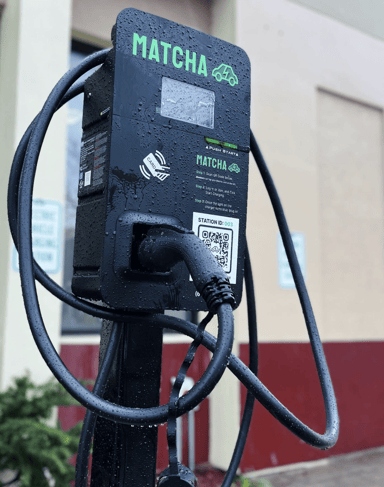
There are currently 2 ways to start a charge at a Matcha charger:
- Scanning the QR code on the charge station; or...
- Using your RFID card (at select stations and membership plans)
1. Scan the QR code on the charger 📱
When you arrive at a charge station, use your smartphone camera to scan the QR code on that station. This will open a web page for that charger (you may have to login first).
- Double Check the Charge Station ID (you don’t want to charge someone else’s car)
- Ensure your vehicle is properly parked and secured
- Click the “Start Charging” button
- Wait for the indicator light on the charger to flash blue 🔵 and beep
- Plug-in and the charge will start automatically
2. Scan the QR code on the charger 📱
At some locations and with some membership plans, you may have received a Matcha RFID card. Simply tap your card at the station where indicated, wait for the indicator light on the charger to flash blue and beep, plug-in, and your charge will start automatically.
❗ Always make sure your vehicle is properly parked and secured before starting a charge session