![Matcha logo - whiteback.png]](https://24481771.hs-sites.com/hs-fs/hubfs/Matcha%20logo%20-%20whiteback.png?height=28&name=Matcha%20logo%20-%20whiteback.png)
Benefits of a Matcha membership
- Best for frequent users
- Waived session initiation fees (saves you $1.99 per session)
- Monthly billing instead of after each session
- Price: Varies by location (required at some private locations)
Note: With a Matcha membership, both your membership fee and your charging sessions will be billed monthly, instead of after each charge
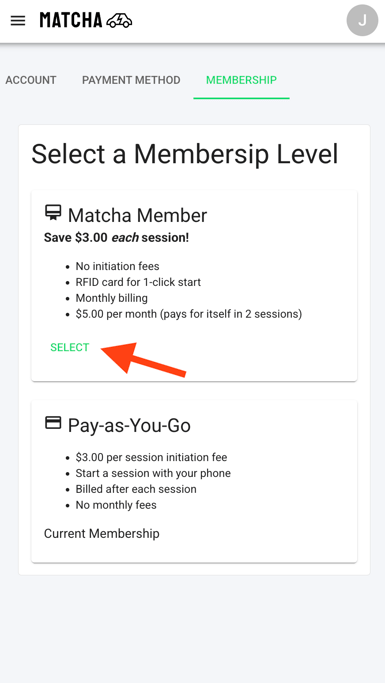
Here are the steps to upgrade to a membership plan
- Login to your account
- Select the menu icon in the top right corner and then select "Account"
- Select "Membership" at the top
- Select "Matcha Basic Member" plan or "Pay-as-You-Go" to upgrade or downgrade your membership
Note: Some private locations require a monthly membership and the pay-as-you-go plan is not available